New SEYFR 1.5.14 is out! We just polished up Windows and Android — update now for the best experience.

Send Your Files Right.
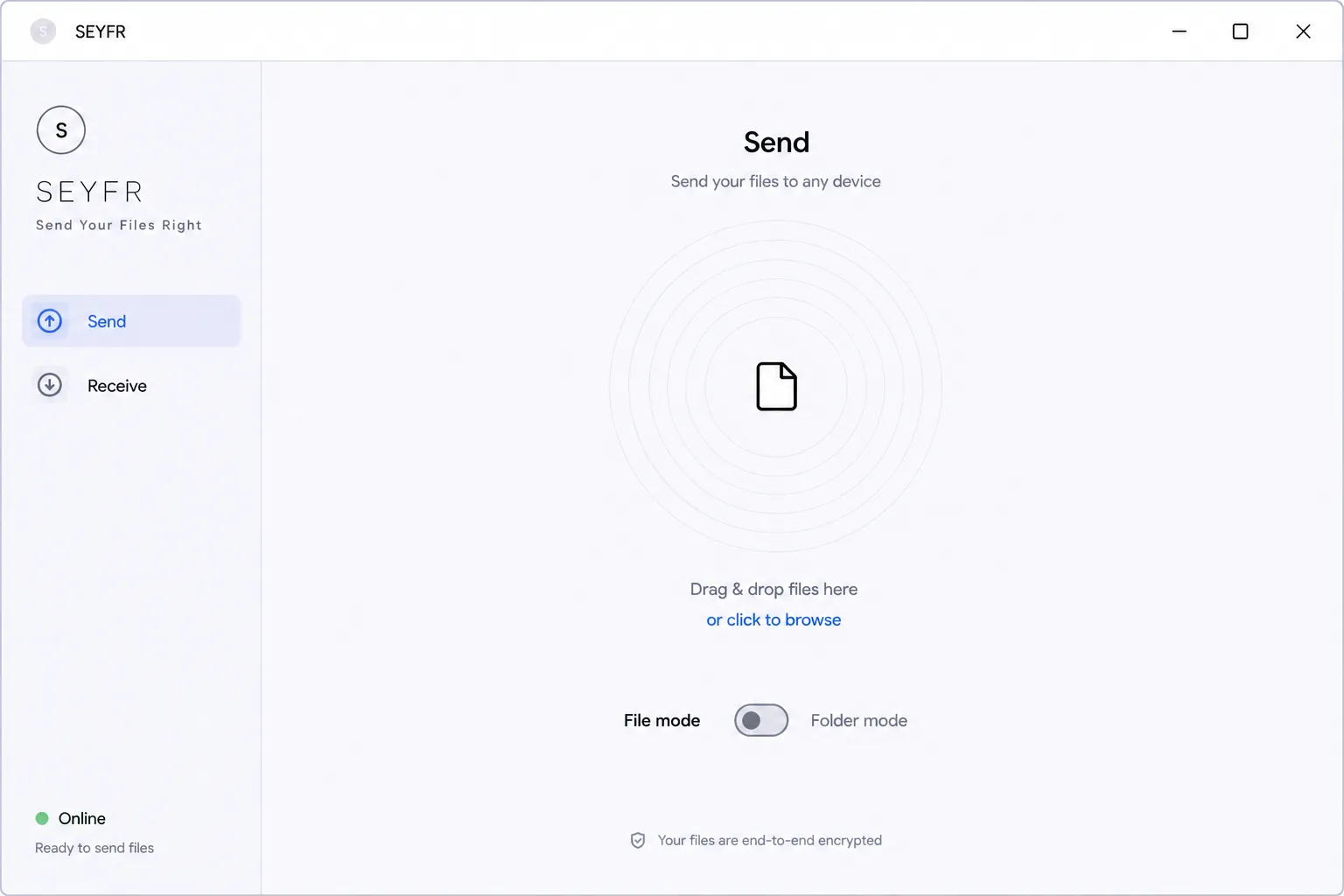
Move files between your devices instantly. No cloud, no middlemen, no configuration.
macOS · Windows · Linux · Android · iOS
Seyfr running on desktop and mobile devices

Trusted by users across the globe in just a few days

🇺🇸 16 in United States 🇬🇧 5 in United Kingdom 🇦🇺 2 in Australia 🇲🇽 2 in Mexico 🇩🇪 2 in Germany 🇫🇮 1 in Finland 🇺🇬 1 in Uganda 🇩🇴 1 in Dominican Republic 🇧🇪 1 in Belgium 🇵🇱 1 in Poland 🇺🇸 16 in United States 🇬🇧 5 in United Kingdom 🇦🇺 2 in Australia 🇲🇽 2 in Mexico 🇩🇪 2 in Germany 🇫🇮 1 in Finland 🇺🇬 1 in Uganda 🇩🇴 1 in Dominican Republic 🇧🇪 1 in Belgium 🇵🇱 1 in Poland

A huge thanks to our rapidly growing community in the United States (and a special welcome to our newest US users!), alongside our strong user base in the United Kingdom and Germany, and thank you to everyone else around the world!

We are incredibly grateful for your support. If you are experiencing any issues, please don't hesitate to reach out!

Our latest version, v1.5.14, is very stable with zero crash reports. If you're encountering issues, simply updating might instantly solve your problem!

Send from one device. Receive on another.
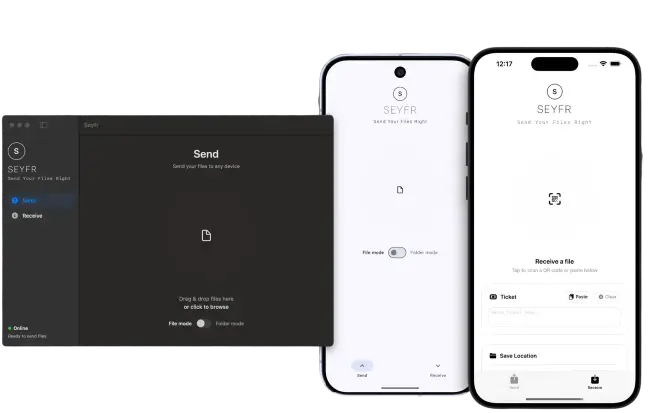
Available on all PCs, Macs, Android phones, and Apple iPhones.
Seyfr seamlessly working across devices

Direct Hole-Punching

Move files directly between devices over the internet. SEYFR uses a technique called "hole-punching" to poke a secure, temporary needle-sized tunnel through your home router's firewall so your files travel straight to your friend with no cloud middlemen.

Any Device, Any File

Send files and entire folders between Windows, Mac, Linux, Android, and iPhones. There are no size limits, no speed limits, and no account sign-ups required.

Built-In Folder Jail

Your files are fully encrypted and sent directly. SEYFR uses a strict mathematical "folder jail" (sandbox lock) that physically walls the app inside its own single directory—making it mathematically impossible for any hack to touch or spy on your other folders.

Frequently Asked Questions

The Concern on Forums: "How do I know a file transfer app isn't storing or scanning my files in transit? Even services claiming zero-knowledge often hold the encryption keys or track user metadata." See discussions on Hacker News
SEYFR is strictly peer-to-peer (P2P). Your files travel directly from one device's storage to the other. There is no cloud server or intermediary database where your files can be leaked, scanned, or intercepted.

The Concern on Forums: "Local sharing tools like LocalSend or Snapdrop are great, but strictly limit sharing to devices on the same router. It's frustrating if I need to share a file across the city." See discussions on r/selfhosted
No. SEYFR uses secure UDP hole-punching technology. This enables direct, encrypted P2P connections even across different networks (e.g., your home PC to a friend's phone on cellular data in another city), without requiring same-network connectivity or manual setup.

The Concern on Forums: "How secure is direct P2P data transmission? Can my ISP, network administrators, or attackers sniffing public Wi-Fi intercept the file contents?" See discussions on r/privacy
Absolutely. SEYFR establishes a secure, end-to-end encrypted connection between the two devices using standard cryptographic protocols. Nobody in the middle (not even your internet service provider or network admin) can read, modify, or intercept your files.

The Concern on Forums: "How can I trust an installed native utility not to act as spyware? I don't want a file-sharing app scanning my entire drive or accessing personal folders in the background." See discussions on r/privacy
No. SEYFR features a strict, mathematically locked Folder Sandbox ("Jail"). The application is physically walled inside its own designated directory and is technically incapable of scanning, reading, or modifying any other files or folders on your machine.

The Concern on Forums: "I hate having to create accounts and hand over my email address or phone number just to share a simple file. It inevitably leads to marketing profiles and spam." See discussions on r/privacy
No. SEYFR is built on privacy-first principles. There are no account creations, no email signups, and no passwords to remember. Simply open SEYFR and start sharing files instantly.

The Concern on Forums: "Why do free file transfer services enforce tight constraints like a 2GB cap and throttle speeds to force users into buying expensive premium plans?" See discussions on r/privacy
None at all. Since SEYFR is a direct P2P streaming protocol, there are no artificial file size caps (you can send a 100MB PDF or a 100GB video archive). The transfer speed is only limited by your own network bandwidth and hardware capabilities.

The Concern on Forums: "When sharing photos/videos via communication apps, they always compress the files heavily, destroying the raw quality. How can I transfer high-res assets in native state?" See discussions on r/privacy
Never. SEYFR sends all files and folders bit-for-bit in their original, uncompressed, high-fidelity state. Your photos, videos, and archives arrive exactly as they left, with zero quality degradation.

The Concern on Forums: "Many free tools either spam you with intrusive ads, harvest and sell user telemetry, or get bought by large corporate entities that compromise the privacy features." See discussions on r/selfhosted
SEYFR is ad-free freeware. There are no premium speed limits, no paywalls, and no annoying popups. We plan to keep the core file sharing utility completely free forever, while introducing advanced optional enterprise features down the road.

The Concern on Forums: "So, I have been using Messenger to send text and images to myself and then grab them on the desktop version. This has been useful for years, but I never feel quite safe having important stuff there, like passwords or codes. Is there any way to have this function but in a more private app?" See discussions on r/privacy
Messaging apps route all your files through their central servers. Not only does this heavily compress media and impose strict file size limits, but it also leaves copies of your sensitive data (IDs, passwords, private photos) vulnerable to account hacks, data breaches, and corporate metadata scanning. SEYFR keeps your files strictly between your own devices.

Download SEYFR.

Simple file sharing across your devices.

Download SEYFR
Apple

*macOS and iOS versions are fully built and currently pending final approval from the Apple Developer Program. Email us to be notified when they drop!
Link copied to clipboard!